Show It In Action
The workflows, as built.
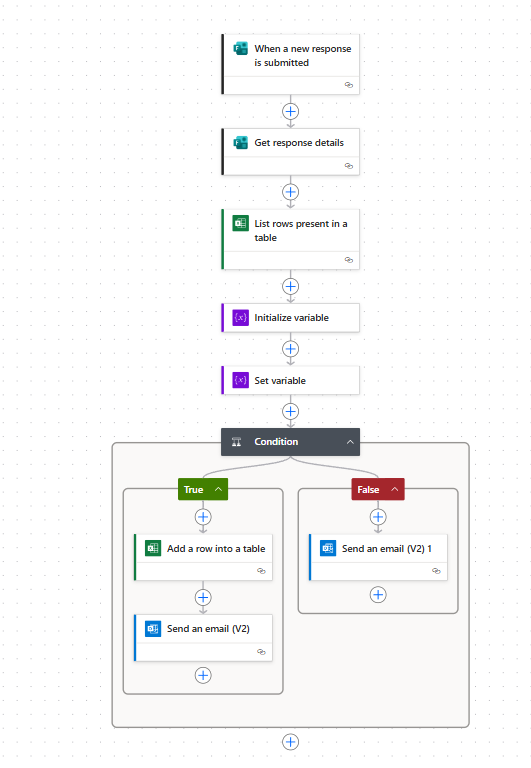
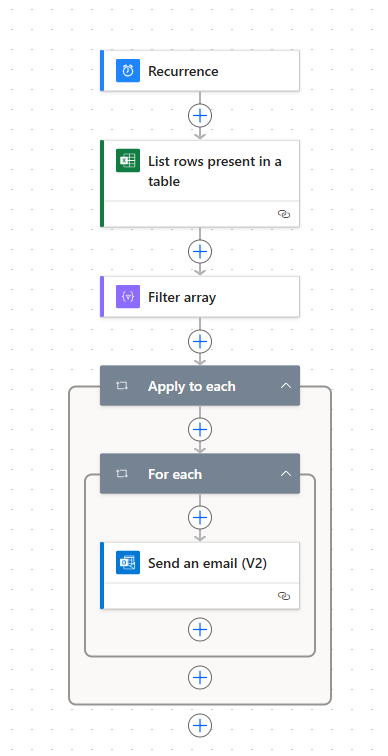
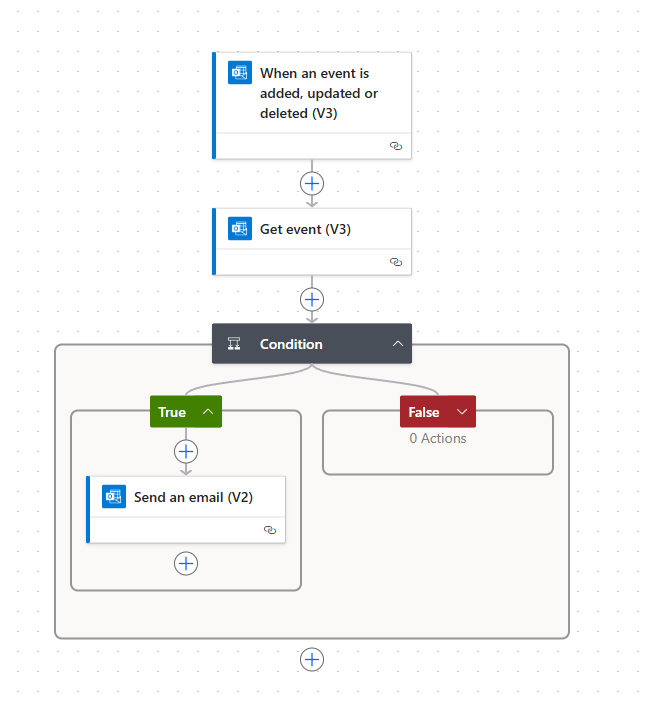
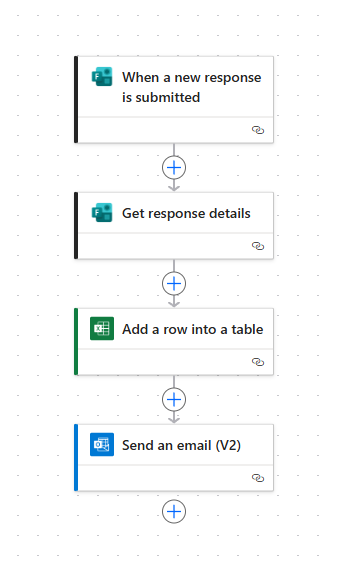
An end-to-end Power Automate system that handles registration, reminders, feedback requests and thank-you emails for a large corporate learning programme, across three staff levels.
Running a training programme for a large organisation means repeating the same steps for every session: registering people, reminding them to attend, asking for their feedback and thanking them for it.
Done by hand, each step is easy to forget and slow to repeat, and the work grows with every session and every staff level added to the programme.
Staff register for a session and the workflow records it automatically, with nothing to enter by hand.
Reminder emails go out ahead of the session, with no one needing to remember to send them.
When the meeting ends, the workflow sends each participant a request for feedback.
Once feedback has been submitted, a thank-you email goes to the participant automatically.
Each stage is its own Power Automate flow, and each one starts the next. Registration starts the reminders, the end of the meeting starts the feedback request, and a submitted response starts the thank-you email.
Because the stages are connected, a session runs from sign-up to thank-you without anyone having to start the next step.
Tell us how it's coordinated today — we'll tell you honestly whether automation is the right fix.
Book a discovery call →